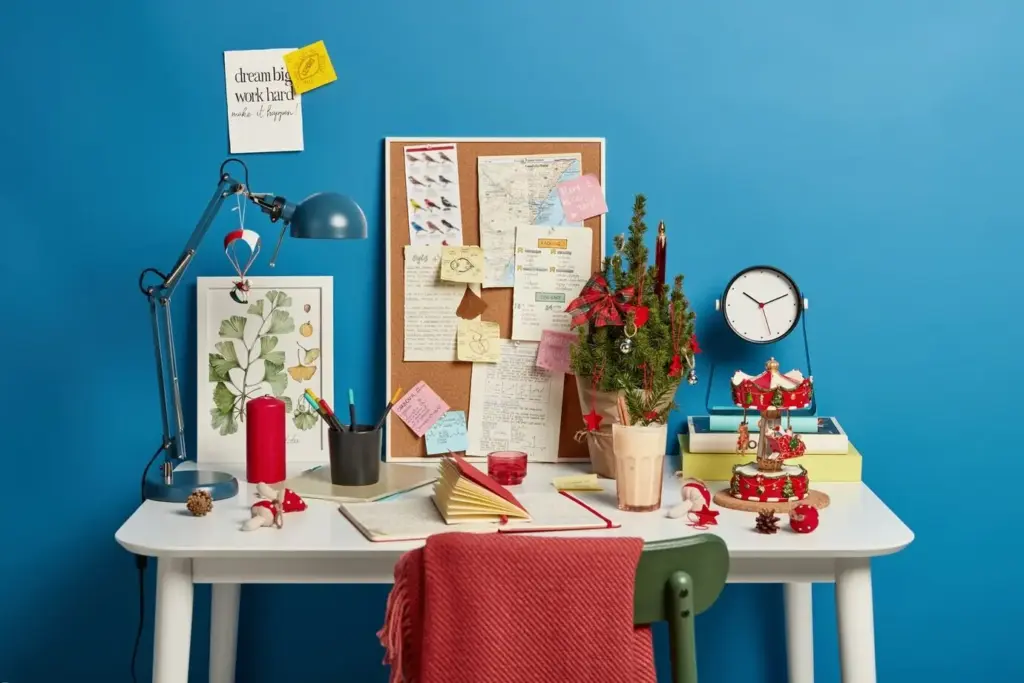
Turn Chaos into Clarity at Home

Today we’re exploring creating a household wiki to organize daily life, a living guide that keeps chores, plans, and essential details discoverable for everyone. Imagine a single place where routines, recipes, repairs, and reminders actually work together. We’ll share practical structures, human stories, and gentle rituals that keep information trusted and current. Join in, ask questions, and bookmark useful templates—we’re building something resilient, friendly, and flexible enough to grow with your family’s seasons.

Start with Purpose and People

Before any page exists, start with why. Clarity on outcomes—less stress, fewer repeated questions, faster decisions—guides every structure that follows. Invite everyone who will use it, listen to daily pain points, and write simple promises together. When people see their needs reflected and understand how to contribute, consistency emerges naturally. Add a short welcome note, set shared expectations, and commit to kindness in edits and comments, because tools only shine when people feel safe using them.

Agree on Shared Outcomes

Gather around the table and ask what smoother looks like next week, not next year. Maybe it’s mornings without frantic backpack hunts, or dinners that practically plan themselves. Write these on the first page as a north star. Research on checklists in aviation and medicine shows error rates drop when teams align on goals. Translate that wisdom to the kitchen and laundry room. Celebrate quick wins early to prove momentum and inspire more helpful contributions from every voice.

Decide Ownership and Roles

Every page deserves a steward, even if it’s a rotating role. One person curates the grocery list; another maintains appliance warranties; older kids can own pet-care checklists. Keep responsibilities light, visible, and appreciative. Add a small footer noting last editors and friendly nudges for updates. When ownership is clear, ambiguity shrinks, and the wiki stops drifting. Rotate roles during family meetings to share learning and pride. The goal is not control but care, with room for life’s surprises.

Blueprint the Information Architecture

Sketch categories on paper before typing. Group by use, not by abstract logic. Routines live together; projects stand apart; reference sits calmly in the back. Keep no more than seven top-level areas to reduce cognitive strain. Add a Quick Links row for frequently used pages. Use breadcrumbs or a simple table of contents so people never feel lost. After a week, watch which links get used and reorder accordingly. Architecture evolves best through observation, not theory, and graceful iteration.

Language That Feels Familiar

Name pages the way your family actually talks. If everyone says “trash day,” avoid “waste management schedule.” Plain words win searches and lower frustration. Prefer verbs that signal action—Pay Bills, Prep Lunches, Water Plants—so intent is crystal clear. Avoid cleverness that ages poorly. Add short summaries at the top of longer pages explaining purpose, owner, and last review date. When language is friendly and consistent, people volunteer updates more often, because the wiki reads like a conversation they trust.

Routines and Checklists

Create recurring lists for mornings, school nights, laundry, plant care, and trash pickup. Write steps so a tired future you will smile with relief. Add photos of storage spots, drawer maps, and labels to sidestep memory. Evidence from high-pressure fields shows checklists reduce errors by grounding attention. At home, that means fewer missed permission slips and smoother bedtimes. Invite kids to help design steps; their ownership increases follow-through. Review seasonally when sports, daylight, and schedules shift, keeping friction beautifully low.

Projects, Plans, and Reference

Separate time-bound projects from evergreen reference to prevent clutter. A kitchen repaint plan gets tasks, dates, and supplies, while paint colors and receipts move to reference afterward. Travel planning pages pair checklists with packing photos and ticket links. For repairs, add serial numbers, filter sizes, and maintenance intervals. Link all of it from a simple dashboard showing what’s active now. When today’s priorities stand out from long-term notes, decision-making accelerates and stale information stops hijacking precious attention.

Rituals Keep It Alive

Wikis decay without gentle care. Tiny rituals create compounding trust. A weekly sweep catches stale links; a monthly cleanup archives completed projects. Keep edits kind and short, celebrating contributions with shout-outs on the Home page. During Sunday tea, open the dashboard, scan what’s active, and close loops. Rituals prevent the slow drift back to scattered notes. They turn the wiki from a one-time setup into a shared practice that quietly carries your household through changing seasons and surprise weeks.

Make It Inviting and Human

A friendly wiki gets opened. Add warmth through color accents, clear headings, and small illustrations. Use icons to signal categories at a glance and templates to standardize structure without stealing creativity. Interleave tips with empathy for tired evenings. Share micro-stories about wins and oops moments so pages feel lived-in, not sterile. Sprinkle gratitude notes where someone saved the day. When people feel welcomed, they contribute more, and that continuous participation is what transforms static notes into a living household companion.

Templates, Icons, and Visual Cues

Create lightweight templates for routines, trips, and repairs with guiding prompts for who, when, and what success looks like. Add small, consistent icons beside sections so eyes learn patterns faster. Include before-and-after photos that reduce questions and spark motivation. Clear typography and generous spacing reduce cognitive strain at the end of a long day. Visuals are not decoration; they are shortcuts for tired brains. The friendlier your pages feel, the more likely they are to be lovingly maintained.

Stories, Gratitude, and Wins

Dedicate a tiny corner to micro-journals: the week the new bedtime checklist shaved twenty minutes, or the repair guide that saved a Saturday callout. Thank contributors by name. Stories turn procedures into shared pride, and pride fuels upkeep. Psychological research shows recognition improves follow-through; echo that truth at home. Invite readers to comment with their best checklists or pantry tricks, and subscribe for fresh templates. The more we trade stories, the faster our collective wisdom compounds into daily calm.

Welcoming Kids and Guests

Create gentle entry points for different ages and visitors. A Kid Corner explains chores with pictures and playful language. A Guest Start page shares Wi‑Fi, trash day, and how to work the coffee machine. Offer printable one-pagers for babysitters and house sitters. When newcomers succeed quickly, confidence blooms, and you gain extra stewards. Teaching through the wiki also models collaboration and kindness, planting habits that ripple through school projects, playdates, and future workplaces where clarity and ownership feel wonderfully normal.

Connect Tools and Automations

Let the wiki orchestrate reminders and lightly integrate with tools you already trust. Calendars can expose recurring routines; task apps can nudge quiet steps; smart speakers can capture ideas hands-free. Keep automations humane—fewer, clearer, kinder. Prefer systems that export data and respect privacy. Backups protect against accidental edits or platform shifts. Start with one integration, prove value, and add slowly. The goal is invisible assistance that protects attention, not a blinking dashboard that demands it every hour.
Mikozuvonutokutamifa
Privacy Overview

This website uses cookies so that we can provide you with the best user experience possible. Cookie information is stored in your browser and performs functions such as recognising you when you return to our website and helping our team to understand which sections of the website you find most interesting and useful.